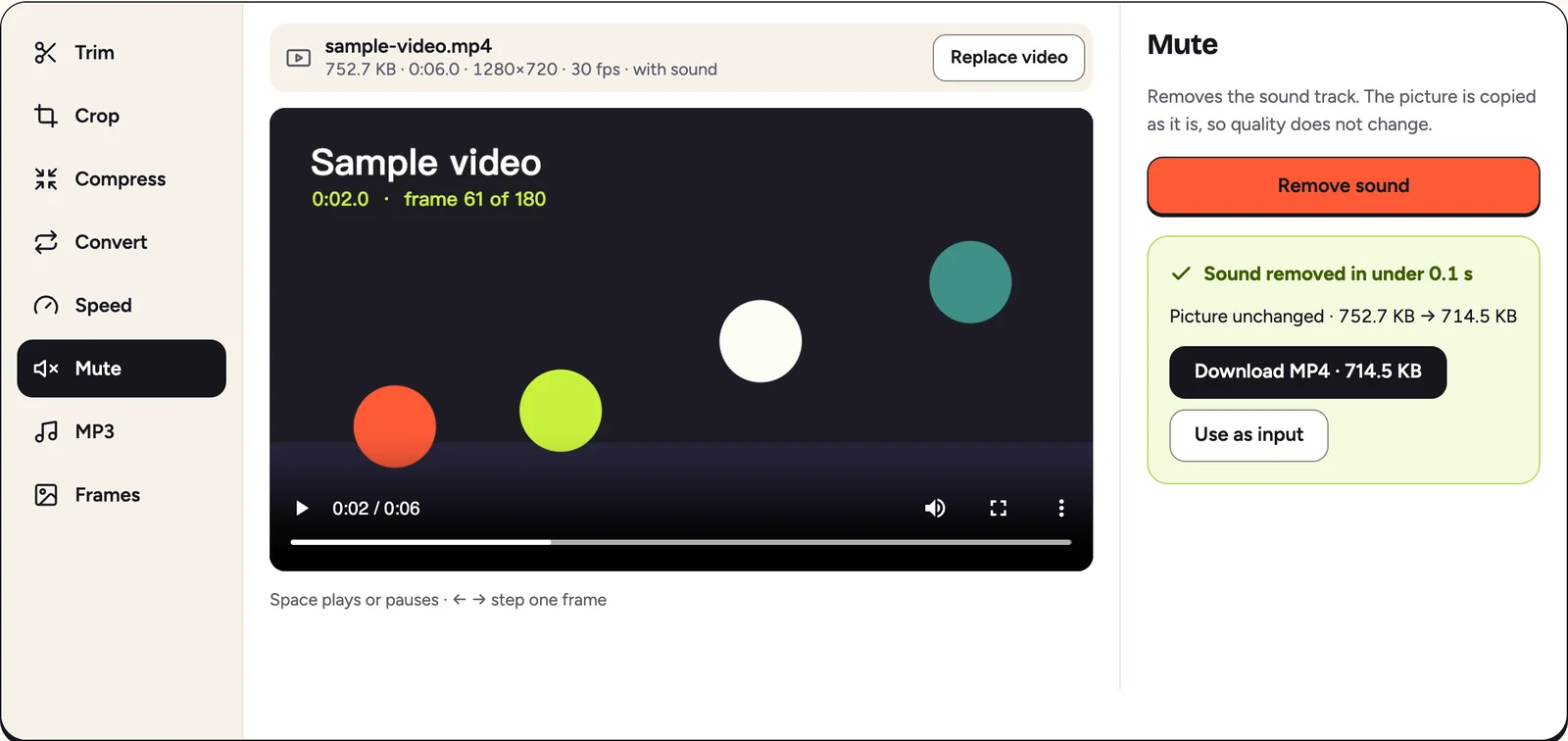
How to mute a video
- Choose the video. Drop it in the box above or click to pick it. The bar above the preview shows whether it has sound.
- Click "Remove sound". The tool writes a new file with the same picture and no sound track. For most videos this takes a second or two.
- Download the file, named after your original with -muted at the end. To do another job on it, press "Use as input".
Why mute a video?
- Remove background noise, wind or chatter from a phone video before you share it.
- Drop copyrighted music that would get a clip flagged when you post it, so you can add licensed music in an editor instead.
- Share a screen recording without your keyboard clicks or a notification sound.
- Make a silent loop for a website banner or a presentation slide, where autoplay usually needs the video to be muted.
- Save space before you compress a clip for Discord; without sound, all the bits go to the picture.
Muting without quality loss
Video files hold the picture and the sound as separate tracks. This tool simply leaves out the sound track and copies the picture track as it is, the same way a professional editor does a "remux". Nothing is decoded or encoded, which is why it is fast and why the picture is identical.
| This tool | Editors that re-export the video | |
|---|---|---|
| Picture quality | Identical to the original | Re-encoded, can lose detail |
| Speed | Copies the data, usually a second or two | Has to encode every frame, so it takes longer |
| Output format | Same as the input (MP4 or WebM) | Depends on export settings |
Muting vs. turning the volume down
Muting removes the sound track completely. Players will show the video as having no audio, and apps that autoplay muted videos treat it as silent. If you only want quieter sound, use a video editor's volume control instead.
Private by design
The sound is removed in your browser. Your video is not uploaded, so there is no waiting and no copy on a server.
Muting questions
Does muting a video reduce its quality?
No. The tool removes the sound track and copies the video data into the new file without re-encoding it, so every frame is identical to the original.
Can I mute only part of a video?
Not with this tool; it removes the sound from the whole video. To silence one section, trim that section out, mute it, and keep the rest as it is.
Why is the muted file only a little smaller?
Sound usually takes much less space than the picture. A typical phone video spends most of its size on video, so removing the sound saves only a small share.
Can I mute a video on my iPhone or Android phone?
Yes. Open this page in Safari 26 or later on iPhone, or in Chrome on Android, choose the video from your gallery, tap Remove sound and save the result.
Is the original video changed?
No. The tool makes a new file named after the original with -muted at the end. Your original stays exactly where it was.
Is my video uploaded?
No. The sound is removed inside your browser, and the new file is saved straight to your device.