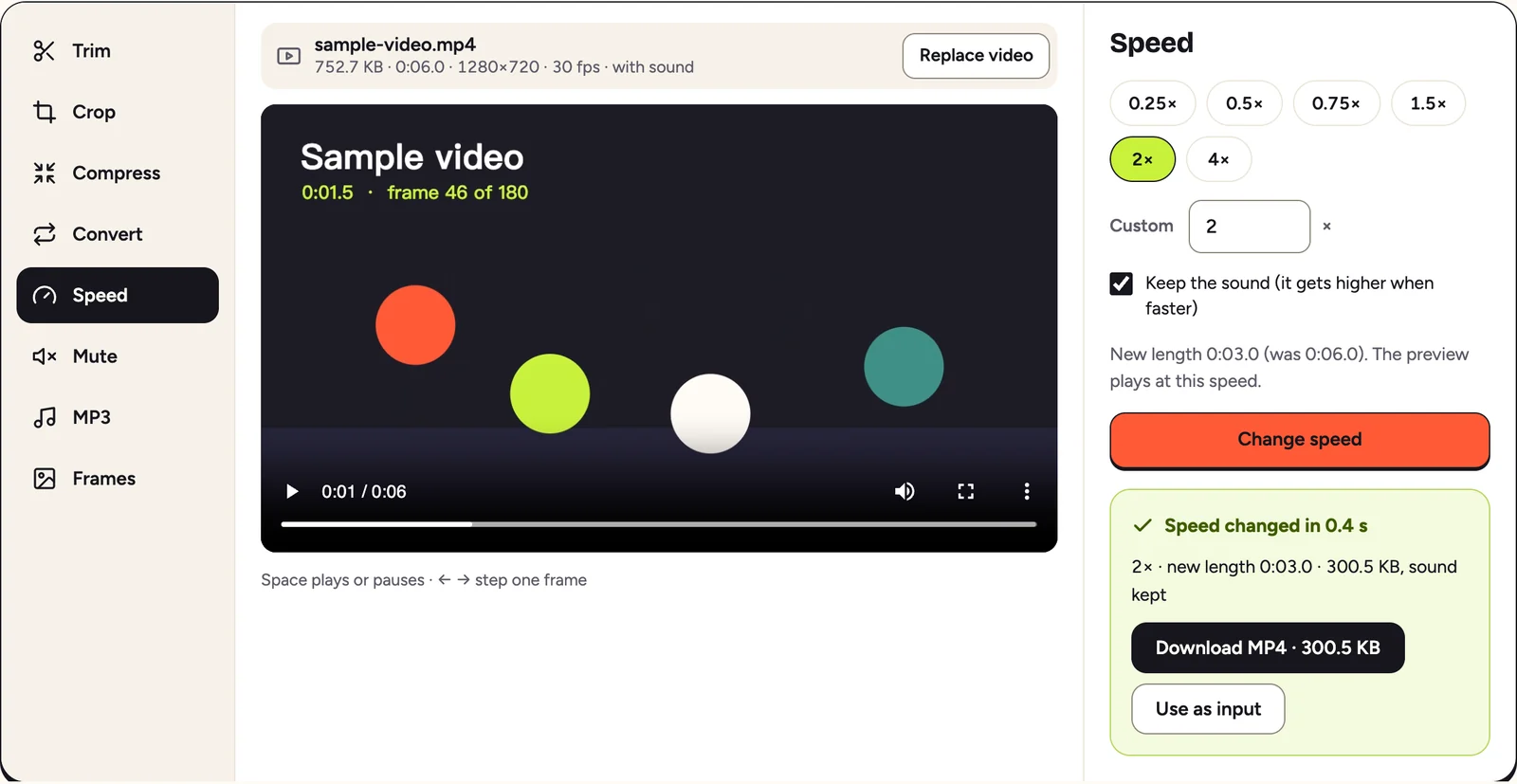
How to change the speed of a video
- Choose your video. Drop it into the box above or click to pick it.
- Pick a speed. Tap a preset such as 2× or 0.5×, or type any value from 0.25 to 8. The preview starts playing at that speed so you can judge it, and the page shows the new length.
- Choose what happens to the sound. Keep it (pitch shifts with the speed) or remove it.
- Click "Change speed" and download. The file name ends with the speed you used, for example -2x or -0_5x.
Speed, length and smoothness
| Speed | A 60-second video becomes | Typical use |
|---|---|---|
| 0.25× | 4 minutes | Analysing a golf swing or a dance move |
| 0.5× | 2 minutes | Slow motion for sports or pets |
| 0.75× | 1 minute 20 seconds | Following a fast tutorial |
| 1.5× | 40 seconds | Tightening a talk or a vlog |
| 2× | 30 seconds | Quick recaps, cooking clips |
| 4× | 15 seconds | Timelapse of a drawing or a build |
| 8× | 7.5 seconds | Long timelapses |
When you speed up, the tool keeps the original frame rate and drops the frames in between, so a 30 fps video stays 30 fps. When you slow down, there are no new frames to add, so the frame rate drops by the same factor: 0.5× turns 30 fps into 15 fps. For smooth slow motion, start from a video recorded at a high frame rate.
About the sound
Keeping the sound changes it the way a tape or record would: faster and higher, or slower and deeper. That suits fun clips and timelapses. If you are speeding up a lecture to listen to it, the pitch change can be distracting; your video player's own speed setting is better for that, because it changes speed without changing pitch.
Ideas
- Timelapse a drawing, a build or a sunset recorded on your phone at normal speed.
- Slow down a sports move to check the technique frame by frame, then save a still of the key moment.
- Shorten a long screen recording before you compress it for Discord.
Private by design
The new video is encoded in your browser using its built-in video encoder. Your original file is never uploaded, and nothing is kept after you close the page.
Video speed questions
How do I speed up a video without an app?
Open this page, drop your video in, pick 2× (or any speed) and click Change speed. It runs in your browser on a computer or phone, so there is nothing to install.
What happens to the sound when I change the speed?
With "Keep sound", the sound is sped up or slowed down together with the picture, so voices sound higher when faster and lower when slower. Choose "Remove sound" if you would rather have a silent clip.
Why does my slow-motion video look choppy?
Slowing down spreads the same frames over more time. A 30 fps video at 0.5× plays at 15 frames per second, which looks less smooth. Videos recorded at 60, 120 or 240 fps give much smoother slow motion.
Does speeding up make the file bigger?
Usually smaller, because the video gets shorter. When you speed up, the tool drops the extra frames so the result keeps the original frame rate instead of doubling it.
What is the fastest speed I can use?
Up to 8× and down to 0.25×. For a bigger change, run the result through the tool a second time.
Will the video be uploaded?
No. The speed change happens in your browser and the new video is saved straight to your device.