How to convert a video to MP3
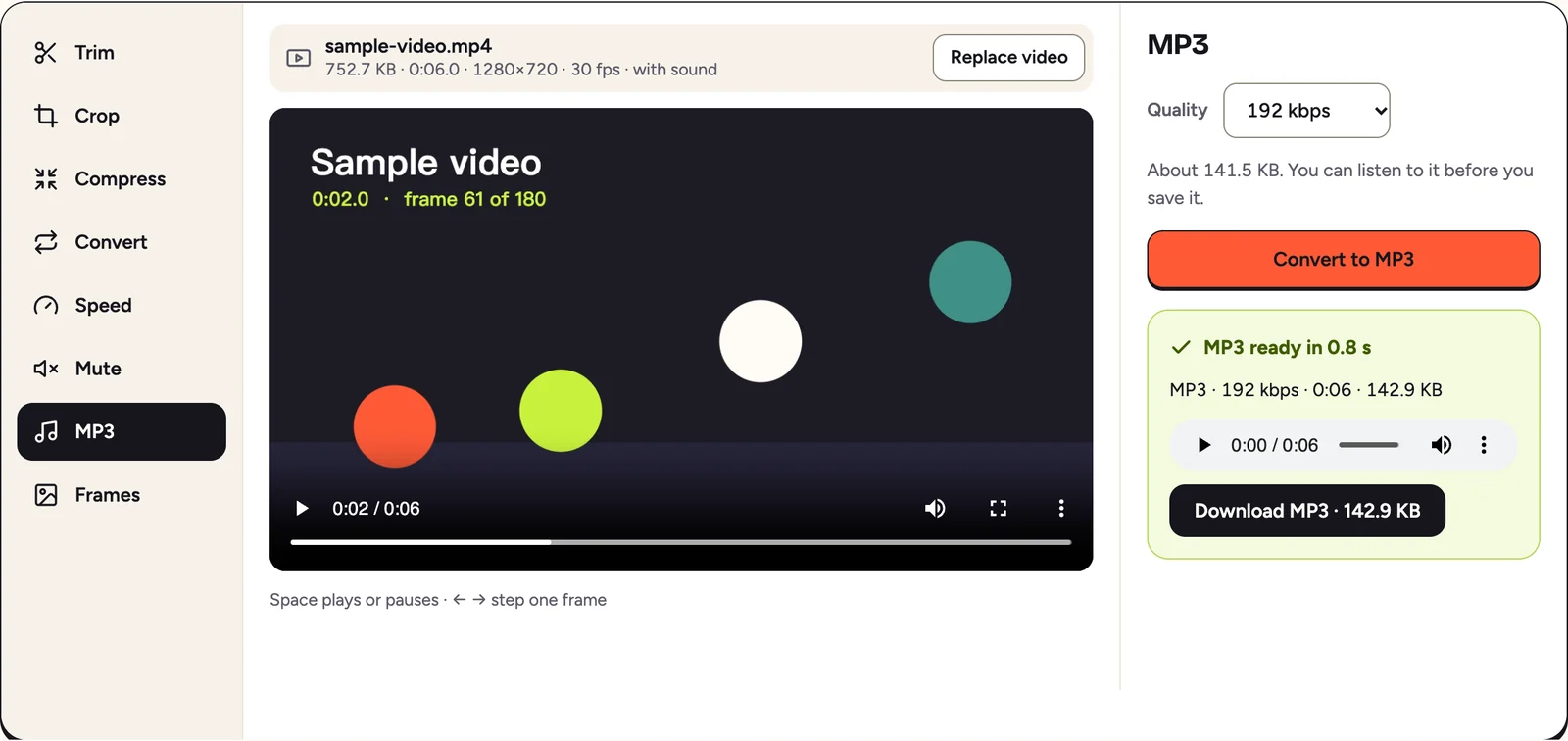
- Choose the video. Drop an MP4, MOV, WebM or MKV file into the box above, or click to pick it. The tool shows its length and whether it has sound.
- Pick a quality. 192 kbps is selected for you; the line below shows roughly how big the MP3 will be.
- Click "Convert to MP3". Only the sound is decoded and encoded as MP3; the picture is skipped.
- Listen and download. A player appears so you can check the MP3 before saving it. The file is named after your video.
MP3 quality and file size
| Setting | Size per minute | Good for |
|---|---|---|
| 128 kbps | about 0.96 MB | Speech, lectures, podcasts, voice notes |
| 192 kbps | about 1.44 MB | Music and mixed content (default) |
| 320 kbps | about 2.4 MB | High-quality music sources |
Size is bitrate times length, so a 4-minute song at 192 kbps is about 5.8 MB. The estimate on the page uses your video's real length.
What you can do with the MP3
- Save a song or a talk you recorded on your phone as an audio file you can play in the background.
- Make a podcast or lecture file from a webinar recording, then play it in any audio app.
- Pull the soundtrack from your own video project to edit it separately.
- Send audio only when a video file would be too large for email or chat.
If you only need part of the audio, trim the video first and then convert the shorter clip.
Why MP3?
MP3 plays on practically every phone, computer, car stereo and audio app. Newer formats such as AAC or Opus can sound slightly better at the same size, but MP3 is the one that works everywhere without a second thought.
Private conversion, in your browser
The sound is decoded and encoded on your own device. When your browser does not have its own MP3 encoder, the page loads an open-source LAME MP3 encoder that runs inside the browser, so the audio still never leaves your device.
Video to MP3 questions
Is this video to MP3 converter free?
Yes. There is no account, no limit on how many files you convert and no watermark or added audio.
Which MP3 quality should I choose?
192 kbps is a good default for music and speech. 128 kbps makes a smaller file and is fine for voice recordings and podcasts. 320 kbps is the highest MP3 setting and only helps if the video's own sound was high quality.
Will 320 kbps make my audio sound better than the video?
No. The MP3 can only be as good as the sound inside the video. A higher MP3 bitrate keeps more of what is there, but it cannot add detail the original never had.
Can I convert a YouTube link to MP3 here?
No. This tool converts video files that are already on your device. It does not download anything from YouTube or other websites.
Why is the Convert button greyed out?
The video has no sound track, so there is nothing to convert. Screen recordings made without a microphone are a common example.
How long does it take?
Usually a few seconds. The tool only decodes the sound, not the picture; in our test a 30-second video became an MP3 in about one second on a laptop.